

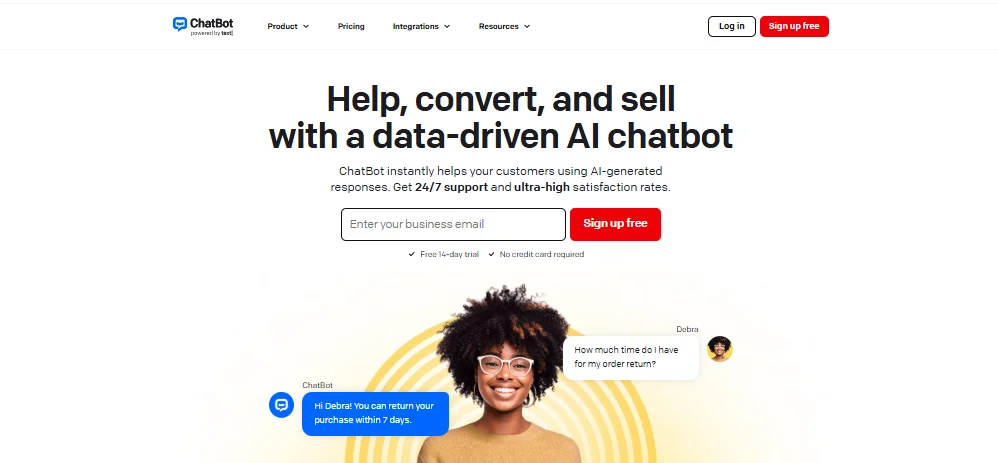
What Does the ChatBot and Shopify Integration Do?
Integrating ChatBot with your Shopify store allows you to:
- Automate customer service with instant, AI-powered responses
- Display your product catalog inside chatbot conversations
- Help customers search for products using natural language
- Show order status directly in the chat
- Collect leads and boost sales while you sleep
Now let’s explore the integration methods available to you.
Why You Should Integrate ChatBot with Shopify
Integrating ChatBot with Shopify is one of the fastest ways to streamline your customer service and boost conversions. With ChatBot.com’s AI-powered features, you can automate repetitive tasks, instantly respond to shoppers’ questions, and improve the buying experience all without writing a single line of code.
Here’s why it matters:
- 24/7 Support: Your chatbot is always active, answering FAQs and helping users even when you’re offline.
- Faster Sales Process: Guide users to the right product, share recommendations, and assist with order tracking in real time.
- Fewer Abandoned Carts: Timely chatbot prompts help recover lost sales by reminding users to complete their purchases.
- No-Code Simplicity: Whether you’re a store owner or a marketer, you can build and launch your chatbot in minutes.
By learning how to integrate ChatBot with Shopify, you’re not just adding a feature you’re upgrading your entire sales process.

How to Add ChatBot from the Shopify Admin Panel
If you already have a Shopify store, this is the fastest and easiest way to set up the integration.
Step-by-Step:
- Log into your Shopify Admin Panel
- Navigate to Apps > Search for “ChatBot by Text”
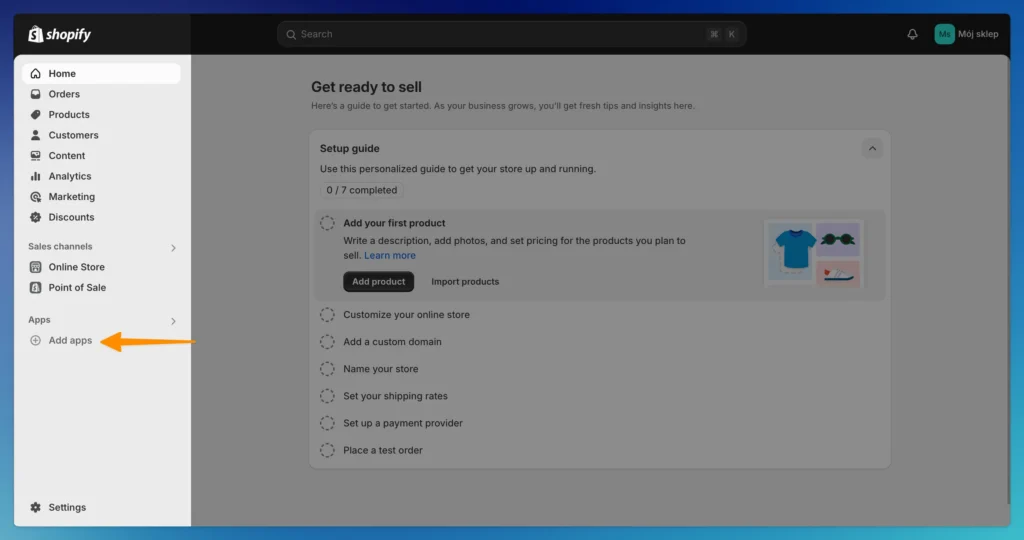
- Click “Add app” and confirm by clicking “Install”
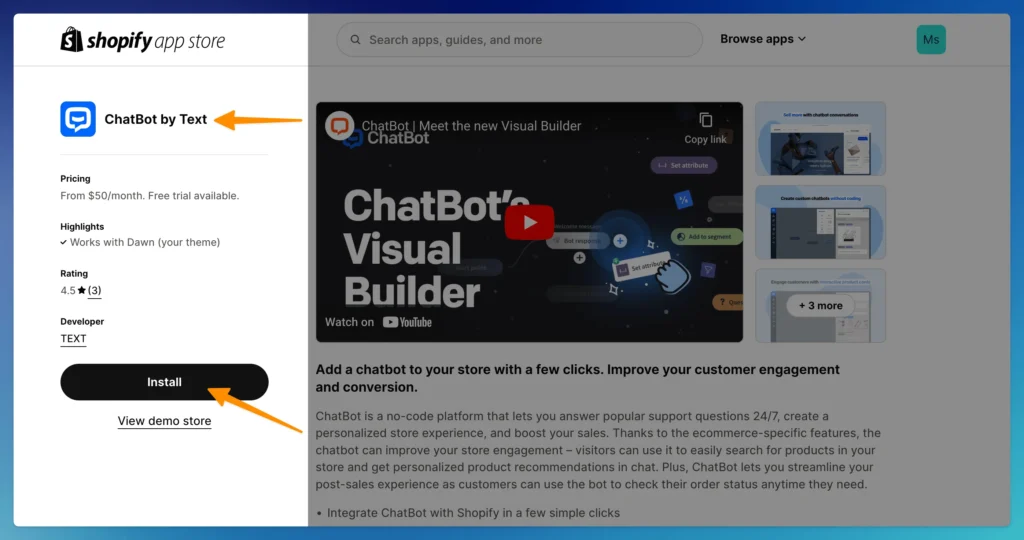
- Log into your ChatBot.com account (or sign up if you’re new)
- Choose how to build your bot:
- Use a pre-built Shopify template
- Select an existing bot
- Build your bot from scratch
- Name your bot and choose whether it should be enabled immediately or stay disabled while you build
- Click Create your chatbot
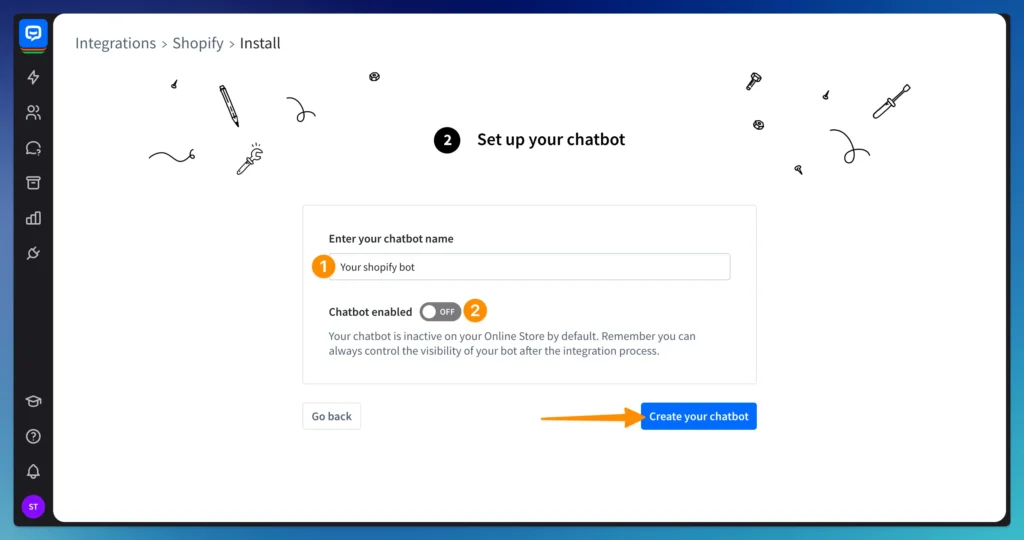
How to Add Shopify in the ChatBot Integrations Panel
If you’ve already built your bot and want to connect it afterward, use the ChatBot app’s Integrations panel.
Here’s how
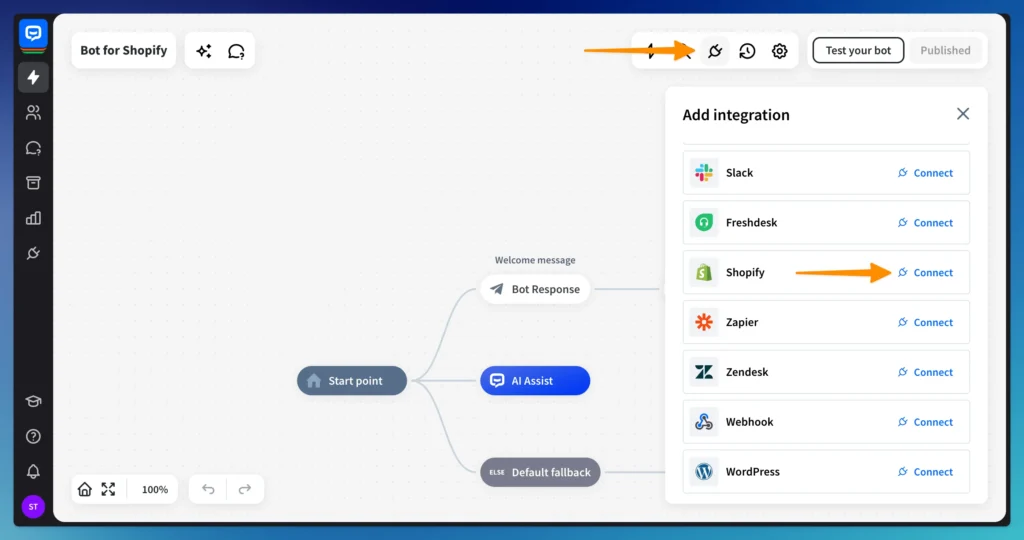
- Open your bot in the ChatBot app
- Go to the Integrations panel
- Select Shopify > Connect with Shopify
- Enter your Shopify store name
- Click Connect and log in to your Shopify account
- Complete the installation by clicking Install app
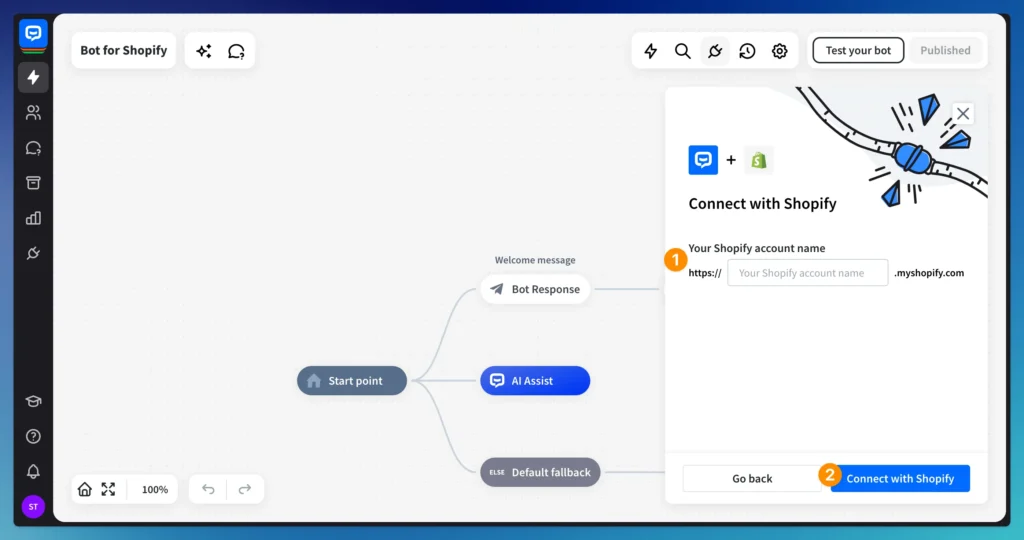
Once connected, your Shopify store will show up in the integrations list.
How to Connect Shopify Using Shopify Actions in the Bot Builder
Prefer to integrate while building your bot? You can use Shopify-specific actions directly in your chat flow.
Here’s how:
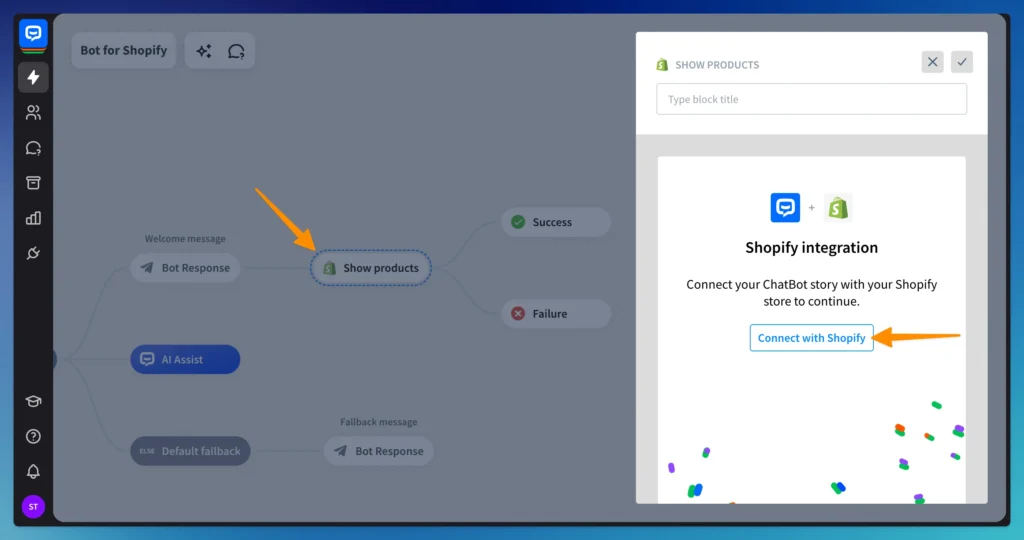
- Open your bot builder
- Add a Shopify Action block to your conversation
- Click Connect with Shopify in the block
- Follow the setup process to complete the integration
How to Manage or Delete the Shopify Integration
You can manage everything in the ChatBot Integrations panel once the integration is complete.
You can
- Enable or disable the chatbot on your Shopify store
- Open store settings for editing
- Delete the chatbot integration entirely
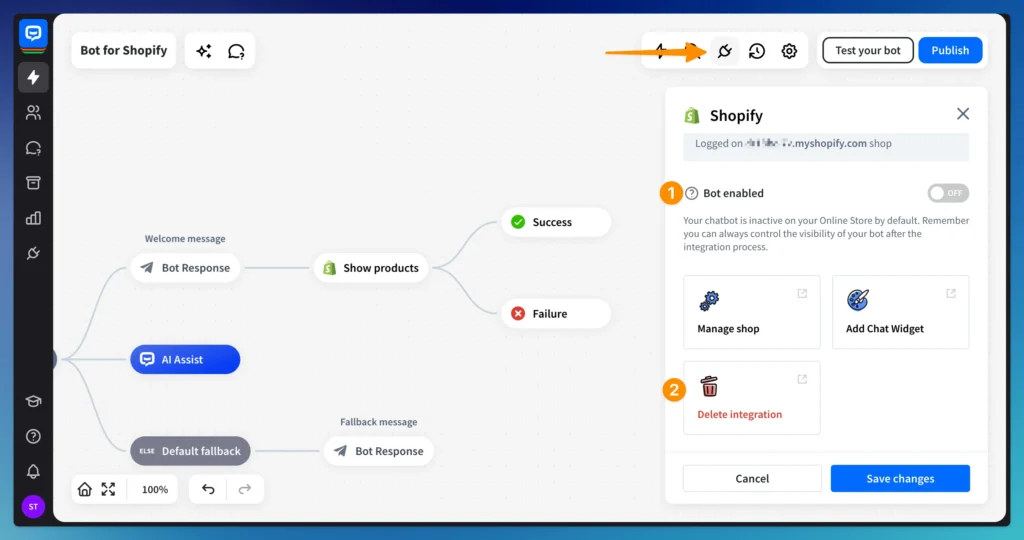
🔒 Pro Tip: Keep the chatbot disabled while you build and test it. Enable it only when you’re ready to go live.
How to Manage Your ChatBot Subscription via Shopify
Depending on how you set up your ChatBot account, here’s how subscription management works:
- If you signed up via Shopify:
You’ll manage subscription and billing directly inside the Shopify billing panel. - If you connected an existing ChatBot account:
You can continue to manage your subscription from the ChatBot billing section as usual.
Conclusion
Now you know exactly how to integrate ChatBot.com with Shopify, and just how simple it is to get started. With flexible integration options, AI-powered automation, and full customization control, ChatBot makes it easy to elevate your eCommerce experience.
Whether you’re displaying product catalogs, handling customer service, or tracking orders this integration empowers you to work smarter, sell more, and support your customers 24/7.



Pasive Marketer is a digital publication dedicated to AI tools, SaaS software, digital marketing, and online business growth. We create in-depth reviews, comparisons, tutorials, and expert guides to help entrepreneurs, marketers, and businesses discover the best software solutions and make informed purchasing decisions.