

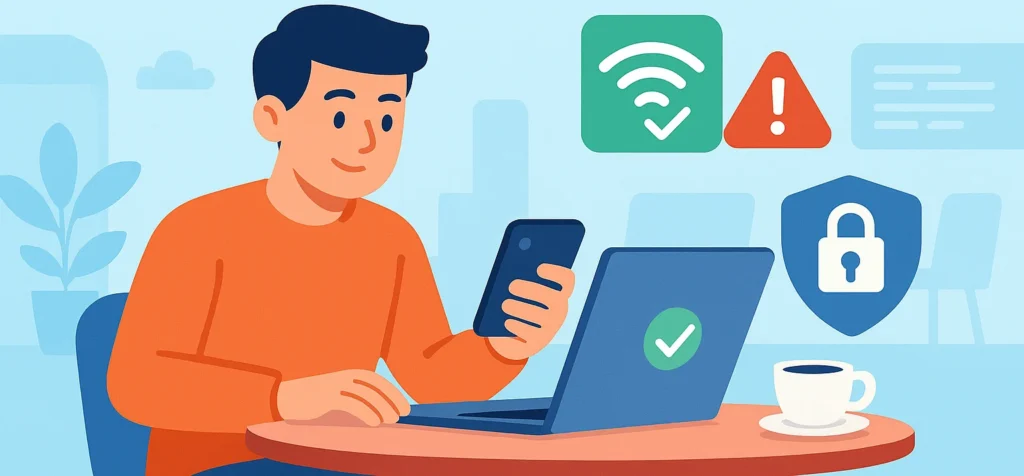
If you use public Wi‑Fi in cafes, airports, hotels, or libraries, you are not alone.
Free internet makes it easy to check messages, finish schoolwork, shop online, or handle quick banking tasks.
But public Wi‑Fi also comes with risks many people do not think about until something goes wrong. One of the most important ideas to understand is Verifying Network Authenticity.
Verifying Network Authenticity simply means checking that a Wi‑Fi network is real, safe, and actually owned by the place it claims to be.
In this guide, you will learn clear, step‑by‑step checks anyone can use before joining a public network.
These simple habits can help you browse, bank, and work online with less risk when using public Wi‑Fi.
What Verifying Network Authenticity Means And Why It Matters On Public Wi‑Fi
Verifying Network Authenticity means making sure the Wi‑Fi network you are about to join is the real one, not a fake network set up to steal information.
In simple terms, you are confirming that the network truly belongs to the café, hotel, or airport you are in.
On public Wi‑Fi, attackers can easily copy network names.
They can create a hotspot with the same name as the real network and wait for people to connect.
Some attackers also watch unencrypted traffic or use tricks to make people enter passwords on fake pages.
Imagine sitting in a coffee shop and seeing two networks named “CoffeeShop_WiFi.” One is real, The other is fake.
If you connect to the fake one, the attacker could see login details you type, such as email passwords or school accounts.
In some cases, they may redirect you to look‑alike websites that steal your information.
If you skip Verifying Network Authenticity, a lot can go wrong.
Passwords can be stolen. Banking details can be exposed. Personal messages, photos, or work files can be copied.
In worst cases, this can lead to identity theft or locked accounts.
The important thing to remember is that most of these risks can be reduced with a few quick checks before you connect.
You do not need to be scared of public Wi‑Fi. You just need to be careful and informed.
Simple Steps To Verify Network Authenticity Before You Connect
Verifying Network Authenticity does not have to be complicated.
The steps below are practical and easy to follow.
Make them part of your routine whenever you use public Wi‑Fi.
Step 1: Confirm The Exact Network Name And Password With A Trusted Source
The safest first step is to confirm the exact Wi‑Fi name and password with a trusted person.
In a café, ask a staff member. In a hotel, ask the front desk. In an airport, check with an official help desk.
When you get the network name, compare it letter by letter on your device.
Look closely for small tricks, such as extra numbers, added words, or different spelling.
For example, “Cafe_WiFi” and “Cafe_WiFi_Free” are not the same network.
Signs on walls or table tents can be helpful, but they can also be outdated or copied by attackers.
Speaking directly to staff is usually more reliable when possible.
This simple habit is one of the strongest ways to support Verifying Network Authenticity.
It only takes a moment and can prevent many common public Wi‑Fi attacks.
Step 2: Look For HTTPS And The Lock Icon Before You Share Anything Private
HTTPS means that the data sent between your device and a website is scrambled so others cannot easily read it.
When a site uses HTTPS, you usually see a lock icon and “https” in the address bar.
Before entering passwords, credit card numbers, or personal information, always check for HTTPS.
This is important even if you believe the Wi‑Fi network is real.
HTTPS helps protect your data from being read by others on the same network.
However, it does not fix everything. If the Wi‑Fi network itself is completely fake, HTTPS alone may not keep you safe.
Think of HTTPS as one strong layer of protection. It works best when combined with Verifying Network Authenticity and other smart habits on public Wi‑Fi.
Step 3: Use Your Phone As A Hotspot Or A VPN When The Network Seems Risky
If Verifying Network Authenticity fails or something feels off, do not ignore that feeling. It is better to pause than to take a risk.
For sensitive tasks like banking or submitting school work, consider using your phone as a hotspot. Mobile data is usually safer than unknown public Wi‑Fi networks.
Another option is using a VPN:
A VPN creates an encrypted tunnel between your device and the internet, making it harder for others on public Wi‑Fi to read your traffic.
You do not need to understand how it works in detail to benefit from it.
Even when using a VPN, you should still try to choose real networks.
A VPN adds a strong extra layer of protection, but it does not replace smart choices and basic checks.
Best vpn to Stay Safe on Public WiFi

NordVPN
Fast & Secure VPN Protection
- Strong encryption for public Wi‑Fi
- Large global server network
- No‑logs privacy policy
- Apps for all major devices

PrivadoVPN
Privacy-Focused VPN Service
- Swiss-based privacy protection
- Free and paid plans available
- Secure browsing on public Wi‑Fi
- Easy-to-use apps

VeePN
Everyday VPN for Online Safety
- Encrypted traffic on public networks
- Ad & tracker blocking
- Multiple device support
- User-friendly interface

HideMyName VPN
Anonymous Browsing & IP Protection
- IP address masking
- Secure public Wi‑Fi usage
- Multiple server locations
- Simple setup

F‑Secure VPN
Trusted VPN from a Security Company
- Strong data encryption
- No tracking or logging
- Safe browsing on public Wi‑Fi
- Backed by cybersecurity experts
Quick Safety Habits To Keep Your Devices Safe On Any Network
Verifying Network Authenticity works best when paired with a few simple safety habits.
These actions are fast and realistic for everyday use on phones and laptops.
Turn Off Auto‑Connect And Forget Old Public Networks
Auto‑connect allows your device to join known Wi‑Fi networks automatically.
This can be risky on public Wi‑Fi because your device may connect to a look‑alike network without warning.
Turning off auto‑connect for public networks gives you more control. You choose when and where you connect.
It is also a good idea to forget or remove old public networks you no longer use.
This stops your device from searching for them and reduces the chance of connecting to a fake version later.
Update Your Devices And Use Firewalls For Extra Protection
Updates are important because they fix security holes that attackers often use on unsafe networks.
Turn on automatic updates for your phone, laptop, and browser whenever possible.
Most devices also include built‑in firewalls.
A firewall helps block unwanted incoming connections when you are on public Wi‑Fi. Make sure your firewall stays turned on.
These steps do not take much time, but they add another helpful layer of protection alongside Verifying Network Authenticity.
Conclusion
Verifying Network Authenticity on public Wi‑Fi is about making a few smart checks, not learning complex technology.
By confirming the real network, checking for HTTPS, and using a hotspot or VPN when something feels risky, you greatly reduce your chances of trouble.
Simple habits like turning off auto‑connect, forgetting old networks, and keeping devices updated also make a big difference.
You do not have to do everything at once.
Start with one or two habits today, then add more over time.
The key takeaway is simple: you have control over how you connect, even on public Wi‑Fi.
A few careful choices can help keep your information safer wherever you go.
Related Posts






Pasive Marketer is a digital publication dedicated to AI tools, SaaS software, digital marketing, and online business growth. We create in-depth reviews, comparisons, tutorials, and expert guides to help entrepreneurs, marketers, and businesses discover the best software solutions and make informed purchasing decisions.