

Understanding automated user-generated content videos
Automated user-generated content videos sit at the intersection of authentic storytelling and AI automation. Instead of a brand scripting and shooting every frame in a studio, automated user-generated content videos use tools and workflows to generate or assemble content that looks and feels like genuine customer or creator footage, but at much greater speed and scale.
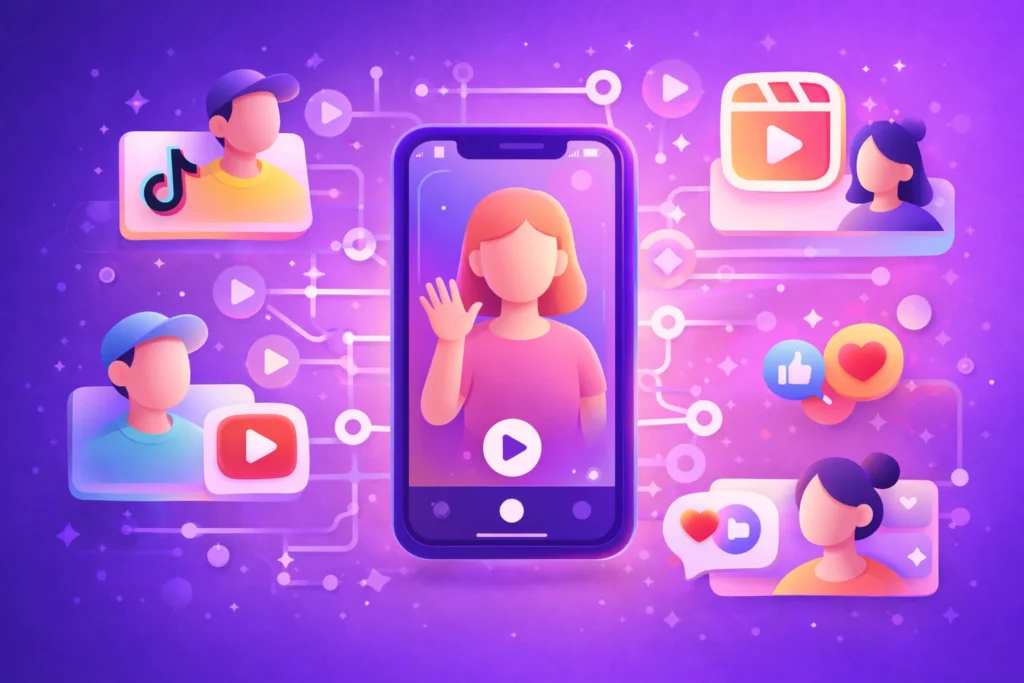
In practice, this can mean two things. It can refer to real user-generated video that is collected, processed, and distributed automatically. It can also refer to AI UGC style videos, where AI tools recreate the look, tone, and structure of typical UGC such as TikTok reviews or Instagram Reels. Both approaches aim to deliver social proof that feels natural while keeping production costs under control. For a deeper breakdown of how AI fits into this space, readers can explore what an ai ugc video definition covers in more technical terms.
For brands and aspiring creators, the goal is usually the same. They want content that blends into social feeds, looks like it came from real people, and can be produced consistently without manual editing for every single video.
Why brands are investing in automated UGC
Automated user-generated content videos are growing quickly because audience attention has shifted heavily to short form video. Brands have seen a 37% year over year increase in requests for short form UGC videos on TikTok and Instagram Reels, compared to photos, which highlights how valuable video has become for marketers in 2024. This change reflects how people now prefer to watch quick, authentic clips over polished static images.
Automation matters because producing that volume of content by hand is expensive and slow. User-generated videos reduce traditional content creation costs that are associated with photography, graphic design, and full production, since they rely on enthusiasts and real users to create much of the raw material. When automated workflows are added on top, brands can handle many more assets with the same or smaller team and budget.
There is also a performance benefit. Automated UGC videos tend to improve SEO because they keep websites fresh with new video content that drives more traffic and increases time on site. Search engines treat this engagement as a sign of relevance and quality, which can improve organic visibility over time. At the same time, these videos typically generate more likes, comments, and shares on social platforms, which increases reach and visibility for each campaign.
Finally, there is an emotional reason. User-generated content videos often incorporate real stories, reactions, and experiences. They can evoke joy, nostalgia, or inspiration in a way that traditional ads sometimes fail to do. This emotional connection helps build stronger loyalty and a sense of relationship between people and brands.
What is an AI UGC video
An AI UGC video is a piece of content generated primarily with artificial intelligence that is designed to look and feel like user-generated content. Instead of filming a real customer, the brand or creator feeds scripts, prompts, product images, or ideas into an AI system, and the system outputs a short video formatted for platforms such as TikTok, Reels, or YouTube Shorts.
These AI generated clips copy familiar UGC patterns, for example a face to camera testimonial, a fast paced product demo, or a voiceover describing a before and after result. They are not random animations. They are built to mimic the unscripted, handheld style that people associate with authentic users. Readers who want a structured definition can look at resources such as what is ai-generated ugc for more detail.
For brands, AI UGC videos sit alongside human creator content rather than replacing it completely. They fill gaps where there is no existing footage, help test messaging quickly, and provide volume when a campaign requires many variations. For aspiring UGC creators, they provide tools to experiment with concepts, hook lines, and ad angles before investing in full production.
Core benefits of automated user-generated content videos
Automated user-generated content videos combine the trust of social proof with the speed of AI and workflow tools. Several benefits typically stand out for both brands and creators.
First, there is authenticity. Even when AI is involved, successful UGC style videos keep the informal tone and visual style people expect from creator content. This aligns with findings that UGC is powerful because it acts as scalable social proof and influences purchase decisions more effectively than brand created content alone, according to Adobe’s 2026 guide on user generated content strategies.
Second, there is higher engagement. How to videos, unboxing clips, and real product in action demonstrations encourage comments, questions, and sharing. These two way interactions extend social reach and visibility without needing extra ad spend.
Third, cost effectiveness makes automation attractive. Once a workflow is in place, many tasks such as resizing, captioning, and distribution can run without new manual effort for each video. This reuse of templates and systems reduces the per video cost significantly compared to traditional studio work.
Finally, automated UGC supports community building and advocacy. When customer or employee clips are integrated into corporate communications or product pages, people see real faces and voices. Major companies that use user generated video in this way, such as HSBC, Novartis, and Vodafone, do so to show workplace culture, humanize leadership, and attract talent in a more transparent way.
Popular formats for automated UGC
Automated UGC does not mean inventing entirely new formats. Instead, it optimizes and reproduces formats that are already proven to work on social platforms. Among the most effective structures are:
- Unboxing videos that show the product being opened for the first time
- Product in action clips where features are demonstrated in everyday situations
- Before and after sequences that highlight transformation or results
- Reaction videos in which a user responds to a product or outcome
- Explainers and how to tutorials that guide viewers through simple steps
- Life hack style clips that integrate the product into useful tips
- Direct testimonial videos focused on experience and recommendation
Research that analyzed 2,000 creator videos found that performance often depends on length and platform. Under 60 seconds tends to work best on TikTok, while Instagram Reels perform well between 60 and 80 seconds for many brand campaigns. These benchmarks give both brands and aspiring creators a starting point when shaping their automated scripts or templates.
Automation systems work well with these repeatable structures. Once a brand has a script outline for an unboxing or a testimonial, AI video platforms can generate multiple versions with different hooks, backgrounds, or presenters in just a few minutes.
How brands scale UGC with automation
Scaling automated user-generated content videos usually requires a system that covers idea generation, content creation, rights management, and distribution. Instead of treating each clip as a one off project, teams set up predictable pipelines that can be measured and optimized.
Adobe describes this as building a scalable user generated content engine. In this model, brands create a repeatable process that consistently generates, curates, and deploys content aligned with business goals rather than relying on occasional posts. Adobe Experience Manager Sites then connects that engine to web and mobile properties so that user generated videos and other assets are automatically placed in pages where they can increase trust and conversion rates.
Some platforms help with the rights and sourcing side of the equation. Statusphere, for example, provides software that links brands with vetted micro influencers and automates the management of permissions and usage rights for UGC videos. This allows brands to secure rights ready content that can be used in paid ads, product pages, and other marketing assets at scale.
A well structured engine also includes performance feedback. Brands track which formats and creators deliver the best engagement and sales, then feed those insights back into prompts, scripts, or briefs so that future automated content improves over time.
AI tools powering UGC style video creation
The practical side of automated UGC involves specific tools and AI models. Recent setups have shown how multiple services can combine into a full AI video factory that takes content from ideation to distribution with minimal manual effort.
One example workflow uses a Google Sheets document plus a language model like ChatGPT as an ideation engine.
This step generates ideas, titles, and captions for different niches and places them into a queue.
An image generation model such as Nanabanana.ai then creates visuals from each prompt through a service like PIAPI. A motion tool like Kling converts these static images into short video clips using motion prompts.
Finally, an assembly system like JSON2Video combines clips, music, and templates into complete videos before uploading them to storage or social channels such as YouTube, Instagram, or TikTok. All of this can be structured inside an automation platform so triggers, transformations, and uploads happen without human intervention for each asset.
Another documented workflow uses Google Gemini as a creative director to produce cinematic prompts and captions from product images, and Google Veo 3 to generate the actual 8 second video.
These tasks run in parallel to save time. Finished videos are automatically saved to Google Drive and posted to Instagram using the Ocoya.
Parameters such as aspect ratio are set in advance so that the same system can output vertical 9:16 content for Reels or Stories, and different formats for other platforms.
These approaches require configuration, including valid API credentials for services like Google Gemini, Google Drive OAuth, and Ocoya, plus an Instagram business account connection.
Once configured, however, they provide a clear template that brands can reuse and extend.
For readers comparing options, it is also useful to review different ai-powered ugc video platforms to understand which features match their own workflows.
Leading AI UGC video platforms and apps
Marketers and creators also have access to AI video apps that focus directly on producing UGC style content, often with interfaces that do not require advanced technical skills.
A review of AI video generators in 2025 by Zapier noted that these tools significantly reduce the time from script to final MP4 file by offering templates, quick editing tools, and built in audio or visual enhancements.
Some prominent options include community oriented generators, end to end editing suites, and specialist ad tools:
- Sora, which emphasizes community driven inspiration and remixing, helps users storyboard and remix clips using their own prompts.
- Google Veo offers end to end AI video creation with native audio and lip synced character voices, although it does not provide a free plan.
- Runway uses generative video technology and includes advanced edit controls such as changing camera angles, weather conditions, or props, and offers a limited free tier with video credits.
There are also platforms tuned specifically to UGC style advertising
MakeUGC.ai generates UGC style ads with AI human presenters that look and sound realistic, which can be used for Meta ads, TikTok variations, YouTube Shorts promotions, or affiliate landing pages.
Tagshop.aI focuses on AI avatars and voiceovers with lip sync and generates scripts up to a fixed character length for A/B testing.
Predis.ai provides AI powered UGC style ad generation for TikTok and Reels and includes scheduling features, while Creatify accelerates script to video production so marketers can test many different hooks in a short period.
Synthesia.io is reported as a cost effective option for producing fast UGC videos and improving workflow speed over several months of use.
These tools all aim to make it easier for both brands and individual creators to experiment with UGC inspired formats, iterate quickly, and publish consistently across platforms.
Real world examples of automated UGC in action
Several high profile campaigns show how automated user-generated content videos can work at scale when they are integrated well into digital ecosystems.
Coca Cola’s Share a Coke campaign is a useful reference. It used mobile apps and QR codes to let people create personalized videos that celebrated friendships and shared moments.
The process turned individual contributions into a large volume of branded user generated video with the help of digital automation.
On the infrastructure side, Adobe Experience Manager Sites demonstrates how automated UGC can be connected to a brand’s own properties instead of staying only on social platforms.
By curating and placing user generated videos and other content within websites and mobile apps, brands turn authentic footage into measurable growth drivers.
This approach increases trust on high value pages and supports higher conversion rates.
Outside pure marketing, enterprises are using user generated video in corporate communications and employer branding. Companies in sectors like finance, healthcare, and telecommunications invite employees and customers to record interviews, leadership messages, or training clips. Automated workflows handle collection, approval, and distribution.
The result is content that humanizes leadership, supports transparency, and highlights values such as diversity and community engagement, while keeping production manageable.
Creators and smaller brands can replicate these patterns on a smaller scale. For instance, a UGC creator might use an AI workflow to produce different versions of a how to video for multiple brands, while a start up might embed automated testimonials and before and after clips directly into its product pages.
Practical tips for aspiring UGC creators and brands
Aspiring UGC creators and marketing teams can both benefit from approaching automated user generated content videos as a structured process rather than a one time experiment. A few practical steps tend to make the transition smoother.
First, they can clarify which parts of the workflow will involve real humans and which will rely on AI.
For example, creators might record key voiceovers or on camera lines themselves, then use AI tools to handle editing, captions, and resizing.
Brands might source authentic clips from customers or micro influencers, with AI tools focused mainly on variations and assembly.
Second, they can choose one or two proven formats, such as unboxing or before and after, and standardize scripts and prompts. This makes it easier to plug those structures into AI generators and test variables like hook lines, visual styles, and calls to action.
Third, they can define length targets based on platform, keeping TikTok content under 60 seconds and using the 60 to 80 second band as a benchmark for Instagram Reels. Over time they can refine these numbers with their own analytics.
Finally, both groups should track results carefully and refine prompts, templates, and creative decisions based on real performance data. Internal resources such as ai ugc video examples can provide inspiration, while structured guides like what is ai-generated ugc help ensure that strategy and terminology stay aligned as tools evolve.
Automated user generated content videos work best when authenticity remains central and automation is treated as a way to support, not replace, real stories and experiences.
Related Posts



Pasive Marketer is a digital publication dedicated to AI tools, SaaS software, digital marketing, and online business growth. We create in-depth reviews, comparisons, tutorials, and expert guides to help entrepreneurs, marketers, and businesses discover the best software solutions and make informed purchasing decisions.