

MakeUGC.ai Review
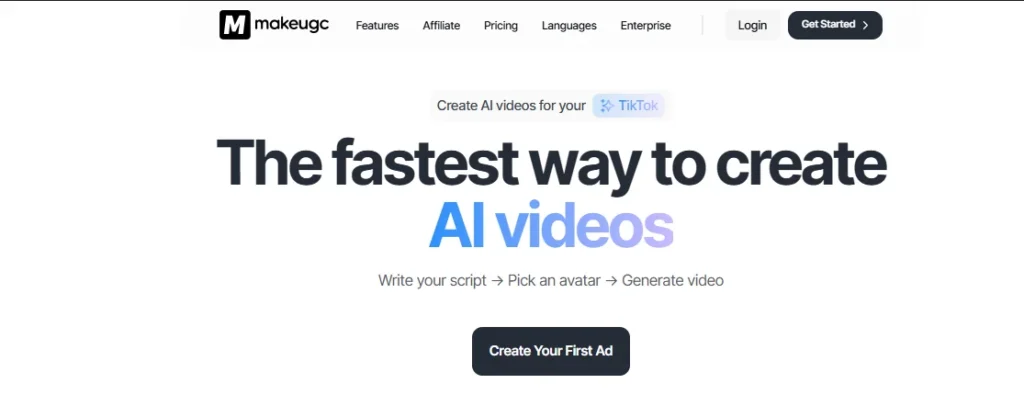
MakeUGC is an AI-powered video generation platform specifically designed to automate the creation of User-Generated Content (UGC) style video ads for brands, e-commerce businesses, and digital marketers.
MakeUGC.ai Features
AI-Generated UGC Videos
B-Roll Video & Image Tools
300+ AI Actors / Avatars
Script Input or Auto-Generate
Lip-Sync & Voice Clarity
API & Professional Plans
Multi-Language Support (75+)
Talking Head Videos
Bulk / Batch Video Creation
Fast Export & Ready-to-Use Output
Custom Product-In-Hand Scenes
20+ Background / Scene Options
MakeUGC.ai Pricing
MakeUGC.ai Pros and Cons
Pros
Specifically designed to mimic the organic feel of social media content creators rather than stiff corporate presentations.
Unique capability to generate scenes where AI actors appear to actually hold and showcase physical products.
Efficient workflows for generating dozens of ad variations simultaneously, perfect for A/B testing on Meta and TikTok.
Access to 20+ diverse backgrounds ranging from home kitchens to outdoor settings for a non-studio look.
Cons
Less suited for formal corporate training or long-form educational webinars compared to Synthesia.
While high quality, the library of 300+ actors is still growing to match the diversity of legacy platforms.
Mastering the script-to-UGC flow requires some trial and error to get the pacing and lip-sync perfectly natural.
MakeUGC.ai Alternatives

Tagshop.ai
Shoppable UGC
- Shoppable UGC galleries
- Direct website embedding

Arcads.ai
AI Video Ads
- AI-powered video ads
- Performance optimization

Elai.io
Corporate Video
- 80+ realistic avatars
- PPT to video conversion

Predis.ai
Social Media AI
- AI content scheduler
- Competitor analysis

Synthesia.io
AI Avatar Leader
- Pro-grade AI avatars
- 120+ Languages

Pictory.ai
Script to Video
- Blog to video automation
- Auto-caption generation

Kaiber.ai
AI Creative Lab
- Audio-reactive visuals
- Cinematic storyboards

ZenCreator.pro
Automated Content
- Faceless channel growth
- AI-generated scripts

Nextify.ai
Viral Video Engine
- Long-form to short clips
- Dynamic AI captions

Adstellar.ai
AI Ad Architect
- High-ROI ad designs
- Smart copywriting AI
Synthesys.io
AI Audio & Visuals
- Human-like AI voices
- 140+ language support
What is Makeugc.ai?
MakeUGC.ai is a video creation platform that uses artificial intelligence to generate marketing clips featuring lifelike digital spokespeople. The system writes scripts, selects avatars, and produces finished videos automatically.
Most marketers stumble here. They think AI UGC replaces human creators entirely. In reality, it works best as a testing engine for concepts you can’t afford to shoot yet. The platform sits between expensive video agencies and basic templated editors. You don’t get Hollywood production value. You get speed and volume instead.
What It Does
The tool builds video ads from text prompts. You describe your product, pick an avatar that matches your target demographic, and the AI generates a 30-second clip with hand gestures and voice modulation. It includes basic editing like caption generation and background music.
Here’s what happens under the hood:
- Script generation based on your product URL or description
- Avatar selection from diverse age ranges and styles
- Automatic lip-syncing in 40+ languages
- One-click resizing for TikTok, Instagram, and Facebook formats
The catch? The avatars look real until they don’t. Viewers notice repetitive gestures if you run the same face across fifty ad variations.
How It Works
You start by feeding the system a product link or pasting a script. The AI scans your landing page to extract key selling points. Then it matches them with visual hooks. Choose your avatar, select a background (kitchen, bedroom, car interior), and hit generate.
The rendering takes three to five minutes. The system uses neural networks trained on real UGC footage to mimic casual filming angles and imperfect lighting. This matters because overly polished ads trigger “this is an ad” blindness in scrollers.
Files export as MP4s ready for Meta Ads Manager or TikTok Business Center. No codec headaches. No compression artifacts that kill engagement rates.
Main Use Cases
Marketers use MakeUGC for three specific jobs:
Rapid Creative Testing
Before you spend $5K on a video shoot, test ten different hooks with AI avatars. Kill the losers. Scale the winners with real talent. Most teams skip this step and burn budget on concepts that never had product-market fit.
Localization at Scale
Need your testimonial in Spanish, German, and Japanese? The same avatar speaks all three without flying to Madrid. This works for regional campaigns where hiring native actors costs more than the expected return.
Evergreen Content Gaps
When your creator partnership ends but the ad still converts, swap in an AI version to keep the campaign alive. It’s not elegant, but it maintains cash flow while you negotiate new contracts.
The mistake most make is treating these videos as finished products rather than proof-of-concept tools. Use them to validate angles, then invest in real creators for your hero content.
My Experience Using Makeugc.ai
I signed up for MakeUGC to see if the AI people look real on camera. The platform turns text into video using digital actors. You type, they talk.
My first surprise was the speed. I created a test ad in under ten minutes. But speed means nothing if customers trust the video less than a real person. I needed to check the details that break the illusion.
Setup & Ease of Use
The signup takes thirty seconds. Email, password, and you see the dashboard. The layout feels busy. Too many options hit you at once.
Uploading my script was simple. I copied text from a Google Doc and pasted it in. Picking an avatar took longer. The small thumbnail photos don’t show how the person moves. I picked three that looked friendly, then had to delete two after seeing them talk.
The voice selection helps. You can hear samples before choosing. But the labels confuse me. “Professional” versus “Casual” doesn’t tell you if the voice fits a gym ad or a bank ad.
Video Creation Test
I wrote a thirty-second script for a fake coffee brand. I wanted to see how the AI handles energy and excitement.
The render took four minutes. That beats booking a studio and filming. But the results showed the limits. When my script said “bold flavor,” the avatar nodded slowly like she was falling asleep. The gestures don’t match the words.
I tested the translation feature. I switched my English script to Spanish with one click. The accent sounded Mexican, which works for US Hispanic markets. But the lip movements stayed English-shaped. Native speakers notice this mismatch immediately.
Output Quality & Realism
The video quality is sharp. 1080p looks good on phones. The skin texture surprises me. No shiny robot faces. The AI adds small imperfections like freckles and pores.
But the eyes give it away. The avatars stare without blinking naturally. Real humans blink every three to four seconds. These AI ones blink randomly, sometimes not for ten seconds. It creates an uncanny feeling.
Backgrounds are basic. You get a gray office, a white wall, or a blurred couch. If you want your own background, you must upload a high-quality image. Low-res uploads look fake against the sharp avatar.
Limitations I Found
You cannot edit single words. If the AI says your brand name wrong, you must re-render the entire clip. There is no way to fix just that syllable.
The avatars smile constantly. Even when reading about debt relief or medical issues. This looks strange for serious topics. You cannot tell them to look concerned or neutral.
Sharing work with my team was hard. Only one person can use the account at a time. No comments, no approval buttons, no version history. For agencies, this creates bottlenecks.
Download speeds vary. A thirty-second video took eight minutes to save on Tuesday morning. On Friday afternoon, it took two minutes. The platform seems crowded during peak hours.
Should You Use MakeUGC?
MakeUGC works best for marketers testing many ad angles fast. It helps small teams who cannot afford actors. It works for simple product demos and FAQ videos.
It does not work for luxury brands building emotional trust. The lack of human warmth shows. It also fails for teams needing client approvals or complex storyboarding.
Next step: Run a blind test. Show one AI video and one real actor video to ten customers. Ask which one they trust more. If the AI wins, scale up. If not, stick to human creators.
Key takeaways:
☐ Always check eye contact and blinking in the preview window
☐ Test your brand name pronunciation before rendering full videos
☐ Use simple backgrounds or upload high-res custom images only
☐ Avoid serious topics where constant smiling looks inappropriate
☐ Plan for slow downloads during busy business hours
Final Verdict: Is MakeUGC.ai Worth It?
yes. MakeUGC can help you quickly generate UGC-style ad videos without traditional production which is genuinely valuable for fast testing and scaling creatives.
However, user feedback online is highly polarized: some marketers report good results with easy video generation, while others find the video quality, billing, and support problematic.
Overall sentiment is uneven, so it’s worth considering what you need before fully committing.
Who should buy / use MakeUGC?
Marketers focused on speed and volume
If you need to quickly generate lots of UGC ads to test different hooks and variations, this tool’s automation can be helpful.
Budget-limited teams
For startups or smaller brands without video production resources, MakeUGC.ai offers a way to create content without filming or hiring actors.
Multilingual campaigns
The platform supports multiple languages, useful if you’re targeting audiences in different regions without manual translation efforts.
Who should avoid MakeUGC?
Brands prioritizing authenticity over automation
If your strategy depends on genuine human interactions and authentic content, AI-generated UGC might not meet your needs.
Frequently Asked Questions – MakeUGC.ai
What exactly is MakeUGC.ai and how does it generate UGC videos?
MakeUGC is an AI-powered content generation platform that helps brands and marketers create user-generated-content (UGC) style videos and social ads without traditional filming, actors, or studio production.
The platform uses artificial intelligence to interpret a script you write (or automatically generate from a prompt), combines that script with an AI actor from its library, and produces a finished video that’s ready for social sharing or ad campaigns.
The process typically involves three steps: write or auto-generate a script, select an AI actor from 300+ options, and hit generate the system then outputs a video in a matter of minutes.
MakeUGC supports localization in over 50 languages and claims average generation times of around 2 minutes.
How customizable are the videos created on MakeUGC.ai, and what control do users have?
Users on MakeUGC.ai can customize several elements of their videos: the script and messaging, the AI actor/avatar chosen, and language and lip-sync settings across more than 50 languages.
The platform also offers features like Product-in-Hand where avatars can hold or showcase a product, as well as Batch Mode for creating multiple videos at once.
Users maintain full ownership of the creatives they generate, meaning videos can be used on any platform without restrictions.
Creators can also upload a reference video so the system’s “Video Agent” can analyze structure and style, and then rebuild a similar flow for their own product or campaign.

Create High-Converting UGC
Boost engagement and sales with AI-powered user-generated content. Makeugc.ai helps you create scroll-stopping UGC ads in minutes.
Get StartedMore AI Tools Reviews




AI Tools
Discover cutting-edge AI software and automated applications engineered to optimize your workflow and scale your digital marketing efficiency.
AI Comparisons
Analyze side-by-side breakdowns of leading language models and platforms to choose the perfect tech stack for your budget.
AI Learning
Master machine learning concepts and prompt engineering through actionable tutorials designed for modern marketers.
AI Rankings
Review real-time leaderboards and performance scores of top-tier AI models, stack-ranked by efficiency, cost, and output accuracy.

Pasive Marketer is a digital publication dedicated to AI tools, SaaS software, digital marketing, and online business growth. We create in-depth reviews, comparisons, tutorials, and expert guides to help entrepreneurs, marketers, and businesses discover the best software solutions and make informed purchasing decisions.