

User Reviews of AI-Powered UGC Video Creation Software & Analysis of Popular AI UGC Tools
To understand what users are saying, we’ve analyzed reviews and feedback for some of the most discussed platforms in the AI and UGC space.
While some are direct AI video generators, others manage or source authentic UGC, providing a critical benchmark for what AI aims to replicate.
This analysis combines features with common points of praise and criticism from the user community.
1. MagicUGC.com
MagicUGC is an AI-powered content platform that generates user-generated-content-style (UGC) videos and ads for brands and marketers without needing real filming, actors, or editors.

It allows users to input a product URL and a script to quickly produce videos featuring AI avatars, designed for use in social media advertising.
Features
- AI scriptwriting assistance.
- A selection of AI-generated human avatars.
- Product URL scraping to pull images and details for the video.
- Customizable backgrounds and text overlays.
Pros (What Users Like)
Users appreciate the features that streamline the creation process, particularly the AI scriptwriter and product URL scraper.
These tools reduce the initial friction of getting started. The platform is praised for making video ad creation accessible to anyone, regardless of technical skill, enabling e-commerce store owners to create their own ads without hiring freelancers.
Cons (Common Criticisms)
Feedback often points to a limited selection of avatars and voices, which can lead to ads that look similar to those made by other users of the platform.
As with similar tools, reviewers note that the videos can lack the genuine persuasive power of real UGC, and the AI voices can sound monotonous or unnaturally paced.
Who Is It Best For?
MagicUGC is a strong choice for e-commerce entrepreneurs and small marketing teams who need a quick, simple, and affordable way to create video ads for their products.
It’s especially useful for those who want to test product viability with video ads before investing in full-scale content production.
Want the full breakdown? Read our MagicUGC review.
2. Synthesia.io
Synthesia is a leading AI-powered video creation platform that lets users turn text into professional-quality videos with lifelike AI avatars and voiceovers all without cameras, actors, or traditional filming.

It’s widely used by businesses, educators, and creators to scale video content efficiently and with global reach.
Features
- Over 160 diverse, high-fidelity AI avatars.
- Voice cloning to create a digital version of your own voice.
- Support for over 130 languages with various accents.
- Customizable video templates and brand asset integration.
- A simple, browser-based editor for script-to-video creation.
- API access for scalable video production.
Pros (What Users Like)
Based on user reviews, the biggest praise for Synthesia is the exceptional quality and realism of its avatars.
Users consistently report that the avatars are among the most lifelike available, which is crucial for creating professional-looking training videos, product explainers, and internal communications.
The platform’s ease of use is another high point; creators appreciate that they can produce a polished video in minutes without any prior editing experience.
Cons (Common Criticisms)
The primary criticism revolves around the cost. Synthesia is priced as a premium, professional tool, which can put it out of reach for solo creators or small businesses on a tight budget.
Some users also note that while the avatars are a huge pro, there’s still a slight “uncanny valley” effect that can make the videos feel subtly artificial, potentially undermining the authenticity required for a true UGC feel.
Who Is It Best For?
Synthesia is best for corporate teams and businesses that need to create scalable, high-quality training, onboarding, and informational video content.
It excels in professional settings where consistency and clarity are more important than the raw, unpolished feel of traditional UGC.
Want the full breakdown? Read our Synthesia review.
3. Tagshop.ai
Tagshop.ai is an online AI platform for creating video advertisements and user-generated content (UGC) style videos without traditional filming, actors, or manual editing.

It uses artificial intelligence to turn simple inputs like a product link, script, or image into ready-to-publish video ads and UGC content ideal for social media marketing and performance ad campaigns.
Features
- Aggregation of UGC from social media and direct uploads.
- Product tagging to create shoppable galleries and videos.
- On-site visual commerce widgets (e.g., Lookbooks).
- AI-powered content curation and performance insights.
- Social listening and competitor analysis.
Pros (What Users Like)
E-commerce managers praise Tagshop’s direct impact on conversion rates.
The ability to create shoppable Instagram feeds and embed them on product pages is a highly valued feature.
Reviewers often mention the excellent customer support and the platform’s user-friendly interface as key benefits that make implementation smooth.
Cons (Common Criticisms)
Similar to other UGC management platforms, the cost can be a barrier for very small businesses.
Some users have requested more advanced customization options for the on-site widgets to better match their brand’s specific aesthetic without needing custom CSS.
Who Is It Best For?
Tagshop is best for established e-commerce brands in fashion, beauty, and home decor that have a steady stream of incoming UGC on social media.
It is perfect for teams looking to directly monetize that content and shorten the path from inspiration to purchase.
Want the full breakdown? Read our Tagshop review.
4. MakeUGC.ai
MakeUGC.ai is an AI‑powered user‑generated‑content (UGC) video creation platform designed to help brands, ecommerce sellers, and marketers produce short UGC‑style videos and ad creatives without filming, cameras, or human talent.
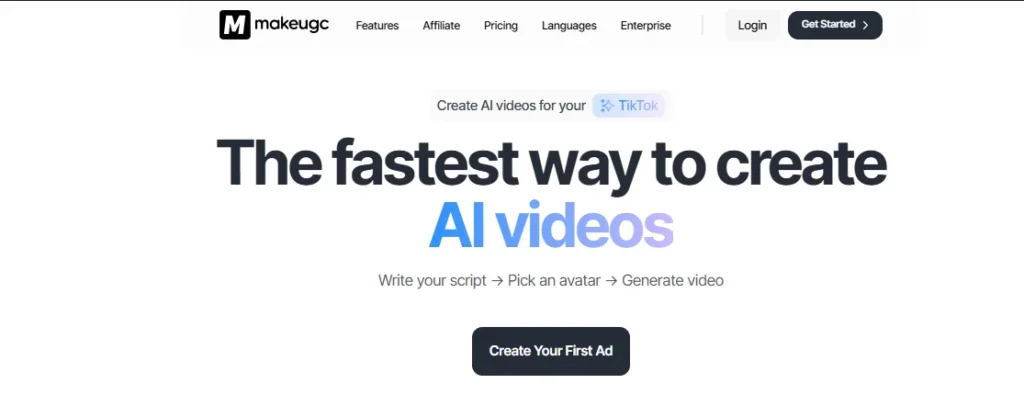
It uses artificial intelligence to automatically generate videos based on a script you write (or auto‑generate), combined with an AI avatar you select, and then outputs a ready‑to‑use video that’s optimized for social platforms and ads.
Features
- A library of AI avatars designed to look like typical UGC creators.
- Text-to-video engine that turns a script into a finished video.
- Multiple voice styles and language options.
- Simple interface focused on fast ad creation.
Pros (What Users Like)
Speed is the most-cited benefit in user feedback. The ability to generate a dozen different ad variations from a single script in minutes is a powerful feature for performance marketers who need to A/B test constantly.
Users find the platform highly accessible, even with no video editing background.
It effectively solves the problem of needing video ads but not having the resources to film them.
Cons (Common Criticisms)
Authenticity is the main hurdle, according to reviews. While the tool is fast, the final product can often look and sound distinctly AI-generated.
The avatars and voices may lack the nuance and natural imperfections of real human creators, potentially leading to lower engagement on platforms where users are sensitive to inauthentic content.
Who Is It Best For?
MakeUGC is best for performance marketers, dropshippers, and ad agencies that need to produce a high volume of video ad creatives for testing. Its primary value is in rapid iteration and finding winning ad concepts, rather than creating content for brand-building or community engagement.
Want the full breakdown? Read our MakeUGC review.
5. Predis.ai
Predis.ai is an AI‑powered social media and ad creative platform that helps individuals and businesses generate a wide range of content including social posts, ad creatives, images, carousels, video ads, and short‑form Reels/TikToks from simple prompts or product inputs.

It’s designed to streamline content creation, scheduling, publishing, and analytics into one workflow, making social media management faster and more automated for marketers, agencies, e‑commerce brands, and freelancers.
Features
- AI-powered text-to-video and text-to-post generation.
- E-commerce integration to pull product details and create ads.
- AI-driven content recommendations and hashtag suggestions.
- A content calendar for scheduling posts across multiple platforms.
- Brand kit for maintaining visual consistency.
Pros (What Users Like)
Users frequently celebrate the speed and efficiency Predis.ai brings to their content workflow.
The ability to generate a week’s worth of social media content in a short amount of time is a massive benefit.
Reviewers also appreciate the AI’s ability to create relevant ad copy and suggest engaging visuals, which helps overcome creative blocks.
Cons (Common Criticisms)
A common critique is that the generated content can sometimes feel generic or repetitive, especially for users in niche industries.
The AI-selected stock footage or assets may not always align perfectly with the brand’s unique style, requiring manual edits and replacements that can slow down the process it’s meant to speed up.
Who Is It Best For?
Predis.ai is ideal for solo entrepreneurs, small business owners, and social media managers who need to maintain a consistent posting schedule but lack the time or resources for extensive content creation.
Want the full breakdown? Read our Predis review.
What Key Factors Do Users Evaluate in AI-Powered UGC Video Creation Software?
When creators write reviews, their feedback typically clusters around a few critical performance areas.
Understanding these factors will help you read reviews more effectively and know what to look for when you’re testing a platform for yourself.
User Interface and Overall Ease of Use
Users evaluate how intuitive and user-friendly the software is, from the moment they sign up to when they export their final video.
A clean, simple interface that guides the creator through the process without a steep learning curve is frequently praised.
Conversely, reviews will quickly call out clunky navigation, confusing workflows, or a buggy interface that makes a supposedly simple task frustrating.
Quality and Realism of AI-Generated Video Content
This is arguably the most important factor users assess: how believable is the final product? Reviews will focus heavily on the realism of the AI avatars, noting their facial expressions, movements, and diversity.
The quality of the text-to-speech voices is also scrutinized—whether they sound natural and emotive or flat and robotic.
A video that screams “AI-generated” fails the fundamental purpose of mimicking UGC.
Customization Options and Feature Richness
Users assess the level of creative control the software provides. Positive reviews often highlight the ability to upload a brand kit (logos, fonts, colors), choose from a wide range of templates, edit the video on a timeline, and adjust the pacing and tone of the AI avatar.
Negative feedback frequently stems from a lack of control, such as being stuck with limited templates or being unable to fine-tune the AI voice’s pronunciation and cadence.
Generation Speed and Workflow Efficiency
This factor measures how quickly and reliably the software can turn a script into a usable video. Creators value tools with fast rendering times, as this allows for rapid testing and iteration.
Reviews will often praise platforms that allow for batch creation—generating multiple video variations at once.
Slow processing times, frequent errors, and lengthy export queues are common points of criticism.
Pricing Models and Overall Value for Money
Users analyze whether the software’s cost is justified by the quality of the output and the time it saves.
Reviews often compare different pricing tiers, discussing the fairness of credit-based systems versus unlimited plans.
A tool is seen as providing good value if its cost is significantly lower than alternative methods (like hiring creators or agencies) while still delivering acceptable results.
Effectiveness of Customer Support and Resources
This covers the quality of help available when users run into technical issues or have questions. Positive reviews mention responsive live chat support, comprehensive knowledge bases, and helpful video tutorials.
Poor customer service—characterized by slow response times, unhelpful automated replies, or a lack of clear documentation—is a major red flag for potential buyers and a frequent topic in critical reviews.
What Are Common Points of Praise in AI-Powered UGC Video Creation Software Reviews?
Across various platforms, users consistently praise AI UGC tools for a specific set of benefits that solve major pain points for content creators.
The most common point of praise is the dramatic increase in creation speed and the ability to scale content production in ways that were previously impossible without a large team or budget.
Other frequent points of positive feedback include:
- Cost-Effectiveness: Many users celebrate the ability to generate dozens of video ad variations for a fraction of the cost of hiring a single UGC creator for one video.
- Scalable A/B Testing: Performance marketers love that they can easily test different scripts, hooks, and calls-to-action to find the best-performing ad creative without significant upfront investment.
- Overcoming Camera Shyness: Solo entrepreneurs and team members who are uncomfortable on camera praise these tools for allowing them to create presenter-style videos without having to film themselves.
- Accessibility for Non-Editors: The simplicity of script-to-video interfaces is a huge win for users who lack technical video editing skills, democratizing video creation.
- Content Idea Generation: Some platforms include AI scriptwriters or idea generators, which users find helpful for overcoming creative blocks and producing a steady stream of new content.
What Are Common Critical Feedback Points in AI-Powered UGC Video Creation Software Reviews?
The most common critical feedback points in AI UGC software reviews center on the central challenge of authenticity.
Users are quick to point out when a tool fails to cross the “uncanny valley,” resulting in content that feels artificial and untrustworthy.
This single issue can undermine the entire purpose of creating UGC-style content.
Common criticisms often include:
- Robotic Voices and Avatars: The number one complaint is that text-to-speech voices sound monotonous and AI avatars have unnatural movements or facial expressions.
- Lack of Emotional Range: Users report that the AI struggles to convey genuine emotion, making the videos unsuitable for content that requires excitement, empathy, or humor.
- Generic and Repetitive Output: When many users rely on the same set of templates and avatars, the resulting videos can look homogenous and fail to stand out.
- Limited Customization: Frustration arises when users cannot upload their own fonts, precisely control brand colors, or make fine-tuned edits to the video timeline.
- Bugs and Rendering Failures: Technical glitches, slow rendering times, and videos getting stuck in processing queues are frequent sources of negative reviews.
- Expensive Premium Features: Many users express disappointment when key features, like high-resolution exports or the best-quality avatars, are locked behind expensive top-tier plans.
How Should Content Creators Effectively Interpret User Reviews for AI-Powered UGC Video Software?
Reading user reviews is a skill. To get the most value from them, you need to look beyond the star rating and analyze the feedback with a strategic mindset.
This means filtering out noise, understanding the reviewer’s context, and identifying trends that are relevant to your specific goals.
Identifying Bias and Credibility of Review Sources
To identify credible reviews, look for detailed feedback that describes a specific use case and its outcome.
A review that says, “The avatars look fake,” is less helpful than one that says, “We tried using the ‘friendly’ avatar for a TikTok ad, but the lip-sync was off and engagement was 50% lower than our real creator videos.”
Be wary of reviews that are overly vague and emotional, whether positive or negative.
Also, consider the source—feedback on a neutral third-party site like Capterra may be more balanced than testimonials promoted on the software’s own website.
Aligning Reviews with Your Specific Content Creation Needs
You must prioritize reviews from users who are trying to achieve the same thing you are.
If your goal is to create short, snappy video ads for an e-commerce product, focus on feedback from other performance marketers.
Their complaints about a lack of 9:16 aspect ratio templates will be more relevant to you than a corporate trainer’s complaint about missing features for long-form educational content.
Always ask yourself: “Is this reviewer’s problem going to be my problem?”
Recognizing Patterns Over Isolated Incidents in Feedback
The key is to look for recurring themes across dozens of reviews, not to overreact to one or two isolated comments. A single user complaining about a rendering bug could be a one-off issue.
But if twenty users across different platforms mention slow rendering times and export failures, you have identified a credible pattern of poor performance.
Consistently praised features are just as important. If nearly everyone agrees that the customer support is fast and helpful, you can be reasonably confident in that aspect of the service.
What Are Future Trends and User Expectations for AI-Powered UGC Video Creation?
Users expect future AI-powered UGC tools to move beyond simple execution and become strategic content partners.
The next generation of software will likely offer hyper-realistic avatars and voices that are nearly indistinguishable from humans.
However, the true evolution will be in the intelligence behind the creation process.
Creators are looking for AI that can understand marketing goals. Instead of just converting a script to video, future tools might accept a prompt like, “Generate five video ad variations for this skincare product targeting Gen Z on TikTok, focusing on the benefit of clearing acne.”
The AI would then not only generate the videos but also write the scripts, select appropriate avatars and visual styles, and even suggest on-screen text based on proven marketing frameworks.
Further expectations include:
- Deep Voice and Face Cloning: The ability to create a near-perfect digital twin from just a few minutes of footage, allowing creators to scale their own presence.
- Performance-Based Iteration: Integration with ad platforms to analyze a video’s performance and automatically suggest or generate new variations to improve metrics like click-through rate.
- AI-Powered Direction: Tools that can direct an AI avatar’s performance, telling it to be more energetic, more serious, or more empathetic to match the script’s tone.
- Full Idea-to-Video Generation: AI that not only executes but also conceptualizes entire video campaigns based on a product, audience, and goal.
Related Posts





Pasive delivers hands-on SaaS and software reviews along with affiliate marketing insights to help entrepreneurs choose the right tools and build profitable online businesses with confidence.