

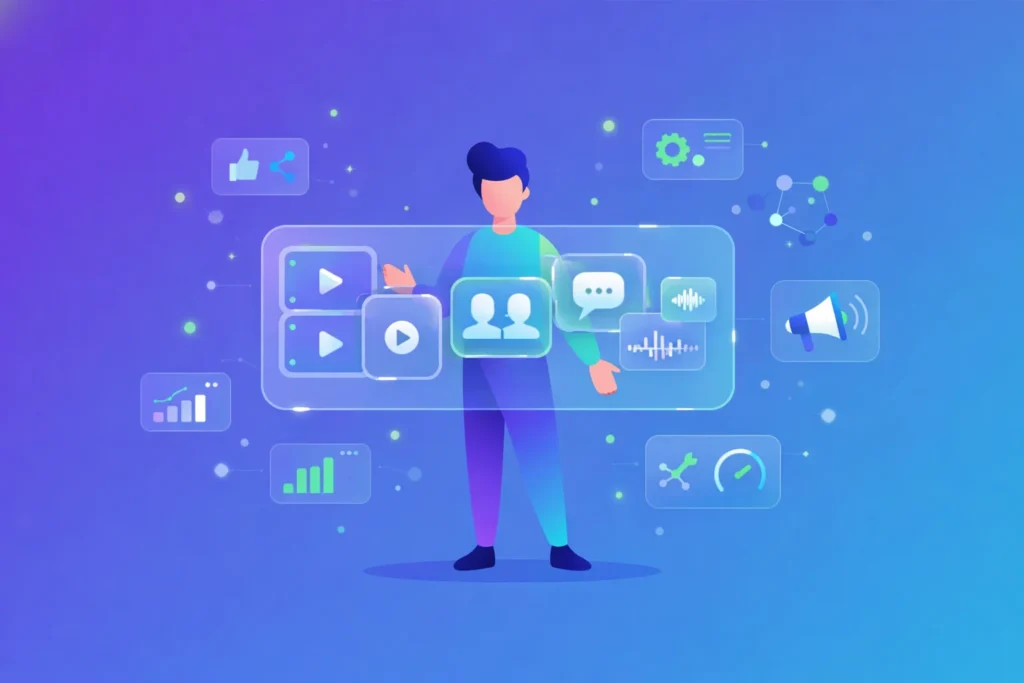
AI UGC videos are everywhere right now—but most marketers still don’t fully understand what they are or how they actually work.
If you’ve seen short “creator-style” videos that look authentic but feel oddly perfect, you’re already encountering AI UGC.
This guide breaks down the AI UGC video definition in simple terms, explains how it compares to traditional UGC, and shows when it makes sense to use it in your marketing strategy.
Understand the AI UGC video definition
If you work in content or marketing, you are probably hearing the phrase “AI UGC” everywhere. Getting clear on the AI UGC video definition helps you decide when to use it, how to use it, and where it fits alongside traditional user-generated content.
AI UGC (Artificial Intelligence User-Generated Content) is content, often in short video format, that mimics the casual style and tone of real user-generated content but is produced with AI tools instead of real customers. These videos usually feature:
- Virtual or AI-generated avatars that look like real people
- Synthetic but realistic voices using AI text-to-speech
- Scripts written to sound like genuine reviews, testimonials, unboxings, or how-to clips
In other words, an AI UGC video is designed to feel like a low-effort “shot on my phone” creator video, while actually being fully created and controlled by you through AI technology.
Compare AI UGC vs traditional UGC
You probably already know traditional UGC: real customers or creators film themselves using your product, then share honest opinions in their own words. AI UGC tries to recreate this format, but the process is very different.
Key differences at a glance
Both approaches can work together. Traditional UGC is ideal when you want real stories direct from your customers. AI UGC videos work best when you need scale, fast testing, and consistent messaging.
Top AI UGC Video Creation Services

Insense
Creator-Led UGC Platform
- Access real content creators
- UGC for ads and organic content
- Creator collaboration tools
- Campaign performance tracking

Predis.ai
AI Social & UGC Video Creator
- AI-generated short videos
- Social media ad creatives
- Auto captions and hashtags
- Multi-platform formatting

Tagshop.ai
AI-Generated UGC Video Ads
- AI avatars for UGC-style videos
- Shoppable video experiences
- Ecommerce-focused workflows
- Fast and scalable production

Synthesia
AI Avatar Video Platform
- Text-to-video generation
- Professional AI presenters
- Multi-language support
- Brand-safe output

MakeUGC
AI UGC Ads for Social Media
- UGC-style ad videos
- Optimized for TikTok & Reels
- No filming required
- Rapid creative testing

MagicUGC
Instant AI UGC Videos
- Automated UGC ad creation
- AI-driven workflows
- Minimal setup required
- Ad-ready exports

Taggbox
UGC Collection & Display
- Collect UGC from social platforms
- Moderate and approve content
- Embed UGC on websites
- Strengthen trust and social proof
Explore how AI UGC videos are created
Knowing the AI UGC video definition is a good start, but it really clicks once you understand how these videos come together in practice.
Core building blocks
To create an AI-generated UGC video, you usually combine four main components:
- AI video generator
A tool such as LunaBloom AI or Pictory that assembles the visuals, avatar, and scenes into a finished video. - AI text-to-speech (TTS)
A voice engine like DeepBrain AI that turns your script into a natural-sounding voiceover. - UGC-style ideas and angles
The concepts you base your videos on, such as real customer feedback, FAQs, common objections, or product benefits you want to highlight. - Video editing or polish
Simple editing to adjust timing, add B-roll, background music, captions, and transitions so the video feels natural and platform-ready.
You do not need specialist filming skills, studio lights, or camera gear. Instead, you work with scripts, prompts, and design settings inside your chosen AI tool.
Know what AI UGC videos are used for
Most brands use AI UGC videos to copy the high-performing formats that already work for them on platforms like TikTok, Instagram, or YouTube.
Common uses include:
- Product demo videos where an avatar walks through how your app or product works
- Short testimonial clips that look like someone is sharing their honest experience
- Problem-and-solution videos that mirror everyday situations
- Talking-head explainer videos for landing pages or email sequences
- UGC-style ad creatives for social platforms
AI UGC ads can be especially powerful. With tools such as Pippit, TopView, or Veo3 used together with ChatGPT, you can generate ads that resemble someone casually holding and reviewing your product on camera. In some cases it can be hard to distinguish an AI model from a real user in the video.
Weigh the benefits of AI UGC videos
The main reason AI UGC videos are so popular is the combination of speed, control, and scale. Once you understand the AI UGC video definition, the advantages become clear.
1. Scalable content creation
AI-generated UGC lets you produce large volumes of content quickly. Instead of waiting on individual creators to shoot, edit, and deliver clips, you can:
- Generate multiple angles or hooks for the same product
- Create variations tailored to different audiences or regions
- Refresh creatives often so your ads do not fatigue
Some AI video platforms can generate a high-quality UGC-style video in as little as 2 minutes, which is ideal when you want to test several versions at once on social media.
2. Consistent brand voice
Because you control the script, you can keep your tone, claims, and key messages aligned across many videos. AI tools can analyze your past content and audience data to help you:
- Match your preferred writing style
- Emphasize the benefits that resonate most
- Avoid off-brand phrases or risky wording
This is especially helpful if you found traditional UGC hit-or-miss in terms of tone and messaging.
3. Easier personalization
AI UGC tools can generate variations that feel personal without needing a human creator for each version. You can:
- Swap out lines to address different pain points
- Adapt scripts for specific demographics or locations
- Localize content with different languages or subtitles
Some platforms support accurate translations into more than 30 languages, which makes it easier to speak directly to global audiences.
4. Faster testing and ROI
Because AI cuts the time and cost of producing each video, you can:
- Run A/B tests on hooks, headlines, and formats
- Quickly turn off underperforming variations
- Double down on high-performing creatives
This tight feedback loop can lead to a faster return on your ad spend because you iterate more often with lower production risk.
See real AI UGC tools in action
There are many AI video generators available, each tailored to different needs. Here are a few highlighted in the research so you can see how they translate the AI UGC video definition into real workflows.
Arcads.ai for expressive AI actors
Arcads.ai offers a large library of over 1,000 realistic AI actors you can drop right into your ad concepts. You can:
- Make AI actors hold products, show apps, or model clothing
- Create and animate your own custom AI avatars that match your brand
- Control emotional expressions by simply specifying the mood you want
This emotion control helps your AI UGC videos feel less robotic and more human.
Arcads.ai also includes:
- Localization tools with translations in more than 30 languages
- One-click AI video editing so you can add B-roll, music, captions, and transitions
These features make it easier to produce finished, platform-ready ads without juggling many separate tools.
Affogato AI for human-presenter style videos
Affogato AI is another AI-generated UGC video tool that focuses on realism and speed. According to a user in a Reddit affiliate marketing community, Affogato AI can:
- Generate super realistic human presenter videos from your script
- Render videos in just a few minutes
- Support formats suited for Facebook and Instagram ads, TikTok UGC variations, YouTube Shorts promos, and affiliate landing page videos
The key advantage mentioned is speed and realism, which is particularly valuable if you are volume testing many different ad angles or offers across channels.
Local AI UGC systems for power users
Some developers have shared AI systems that run locally and let you create thousands of customized AI UGC videos without subscription services. These setups typically let you:
- Choose from customizable AI avatars or models
- Adjust voice, appearance, style, age, and ethnicity
- Configure videos with or without voice
- Start creating content with minimal coding, mainly by adding your product video and API keys
This approach suits you if you are technical, or if you want deeper control over the pipeline and data.
Follow a simple workflow to create AI UGC
You do not need an advanced production process to get started. Most AI UGC workflows follow a similar pattern.
Step 1: Define a clear purpose
Decide exactly what each video is meant to do. For example:
- Testimonial to build trust before purchase
- Review or unboxing to highlight specific features
- How-to to reduce friction after signup or delivery
- Problem-and-solution to overcome a common objection
Being precise makes the rest of your decisions simpler.
Step 2: Write a conversational script
Even though an AI avatar will read it, you want the script to sound like a real person talking casually to a friend. Aim for:
- Short, simple sentences
- Everyday language instead of buzzwords
- Specific details that sound like real-life use
- A natural arc: hook, story, benefit, call to action
You can base your script on real customer reviews, FAQ responses, or support tickets so it stays grounded in real experiences.
Step 3: Choose and customize your AI generator
Pick the tool that fits your goal. If you need:
- Many language versions, look for strong localization features
- High emotional range, focus on tools with emotion control
- Human-presenter realism, explore options like Affogato AI
Then customize:
- Avatar appearance so it matches your audience and brand
- Voice style, pacing, and energy level
- Backgrounds or on-screen elements, such as app screens or product shots
Step 4: Add edits and branding
Use the built-in editor or your preferred software to:
- Tighten timing so the video moves quickly
- Add captions for silent viewing
- Insert B-roll clips or overlays that show the product in use
- Include music that fits your brand mood
Small edits can make a big difference in how natural and polished the final video feels.
Step 5: Review and A/B test
Before publishing:
- Watch the video as a skeptical viewer, not the creator
- Check that the avatar’s expressions, lip sync, and timing look natural
- Confirm the script does not sound overly scripted or stiff
Then run A/B tests on:
- Hooks and opening lines
- Thumbnail images or covers
- Call-to-action phrasing
Use the data to refine your next batch of AI UGC videos.
Use AI UGC ethically and transparently
With a clearer sense of the AI UGC video definition, it is important to handle it in a way that respects your audience.
Ethical use usually includes:
- Transparency
Be honest when content is AI-generated, especially if an avatar appears to be a real person. Clear labeling helps avoid confusion and protects trust. - No fabricated personal experiences
Avoid scripts that pretend to be real customer stories when they are not. Instead, base your AI videos on actual feedback, reviews, or aggregated insights. - Accurate claims
Check all product claims against your legal and compliance guidelines. AI can generate text quickly, but you are responsible for what it says. - Respect for diversity and representation
When you customize avatars, voices, and styles, do so respectfully, avoiding stereotypes or tokenism.
Handled thoughtfully, AI UGC can support your brand rather than undermine it.
Decide if AI UGC is right for you
Now that you understand the AI UGC video definition, you can decide how it fits into your strategy. It tends to be a good fit if you want to:
- Test many creative angles quickly
- Maintain consistent messaging at scale
- Reach multiple markets with localized content
- Supplement, not replace, authentic creator or customer stories
You do not have to switch fully to AI-generated videos. Instead, think of AI UGC as one more format on your content shelf, ready to use when speed, control, and scale matter most.
Related Posts


Pasive Marketer is a digital publication dedicated to AI tools, SaaS software, digital marketing, and online business growth. We create in-depth reviews, comparisons, tutorials, and expert guides to help entrepreneurs, marketers, and businesses discover the best software solutions and make informed purchasing decisions.