


Predis.ai Review
The ultimate all-in-one AI social media marketing tool that generates ready-to-publish posts, reels, and video ads from just a simple text prompt.
Predis.ai Features
Text-to-Ads Generator
Ad Copy Generator
Social Media Posts
Content Scheduler
Publish to Multiple Accounts
Approval Flow
E-Commerce Product Posts
A/B Test Creatives
AI Background Removal
Voiceovers & Audio Tools
Intuitive Ad Editor
Premium Asset Library
Competitor Insights
AI Based Creative Insights
Brand Customization
Customizable Templates
Team Collaboration
Security & Compliance
Predis.ai Pricing
Predis.ai Pros and Cons
Pros
Generates the creative, the caption, and the hashtags in one go—eliminating the need for separate tools like Canva or ChatGPT.
Unique ability to spy on competitor social handles to see what content is actually working for them before you create yours.
Unlike many AI tools, you can schedule and publish directly to Instagram, TikTok, and LinkedIn from the internal dashboard.
Easily import your entire Shopify or WooCommerce catalog to turn products into professional video ads instantly.
Built-in AI “Photoshoot” feature that removes messy backgrounds and places your products in high-end studio settings.
Built-in workflow for agencies to send content to clients for approval before it goes live.
Cons
Because it does so much, the interface can feel slightly cluttered and overwhelming for absolute beginners.
If not customized properly, some generated templates can look a bit “stock-heavy” compared to custom-shot UGC.
Heavy users might burn through monthly AI generation credits quickly when experimenting with multiple post variations.
Predis.ai Alternatives

Tagshop.ai
Shoppable UGC
- Shoppable UGC galleries
- Direct website embedding

Arcads.ai
AI Video Ads
- AI-powered video ads
- Performance optimization

Elai.io
Corporate Video
- 80+ realistic avatars
- PPT to video conversion

MakeUGC.ai
UGC Ads Gen
- TikTok style UGC clips
- No filming required

Synthesia.io
AI Avatar Leader
- Pro-grade AI avatars
- 120+ Languages

Pictory.ai
Script to Video
- Blog to video automation
- Auto-caption generation

Kaiber.ai
AI Creative Lab
- Audio-reactive visuals
- Cinematic storyboards

ZenCreator.pro
Automated Content
- Faceless channel growth
- AI-generated scripts

Nextify.ai
Viral Video Engine
- Long-form to short clips
- Dynamic AI captions

Adstellar.ai
AI Ad Architect
- High-ROI ad designs
- Smart copywriting AI
Synthesys.io
AI Audio & Visuals
- Human-like AI voices
- 140+ language support
What is Predis.ai?
Predis.ai is an AI tool that creates social media content from simple text prompts. It turns your ideas into videos, images, and captions automatically. You do not need design skills to use it.
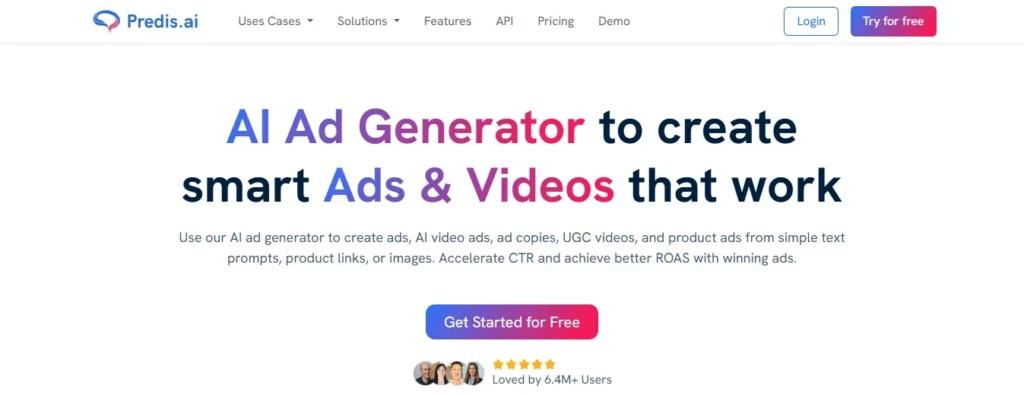
Most marketers stumble here. They think AI UGC replaces human creators entirely. In reality, it works best as a testing engine for concepts you can’t afford to shoot yet. The platform sits between expensive video agencies and basic templated editors. You don’t get Hollywood production value. You get speed and volume instead.
What It Does
Predis.ai creates videos, images, and text captions from your prompts. You type your idea, and the AI handles the rest.
Many users assume AI tools make generic, copy-paste content. This one learns your patterns instead of using random templates. It studies your past posts to keep content consistent.
How It Works
You start with a simple text prompt about your topic.
Behind the scenes, it runs three steps:
You get a draft in about two minutes. You can edit it or make a new version.
Main Use Cases
Small teams batch-create a month of content in one afternoon. Solo marketers run full accounts without hiring extra help.
Online stores use the product-to-video feature for quick ads. You paste a link, and the AI builds the video.
Agencies send draft videos to clients within the same hour. This beats waiting days for mockups and revisions.
My Experience Using Predis.ai
I spent three days testing Predis.ai with real product links and rough ideas. The tool builds videos fast, but speed means nothing if the content feels robotic.
Setup & Ease of Use
You sign up with just an email. No credit card walls. The dashboard drops you straight into a “Create” button without forcing tutorials. I linked my Instagram in under a minute. The system pulled my brand colors automatically, though it missed my secondary shade. Fixing this took two clicks. The whole flow felt lighter than tools that make you watch three onboarding videos first.
Connecting a brand kit is simple. You upload your logo or paste a website link. The AI reads your fonts and color codes. It works best if your site has clear branding. Busy or dark websites confuse the color picker.
Video Creation Test
I tested the product-to-video feature first. I pasted a link to a ceramic mug I sell online. The AI grabbed product photos, wrote a script about “morning routines,” and picked an upbeat track. Total time: ninety seconds.
Then I tried text-to-video. I typed “tips for better sleep.” It generated a talking-head avatar with background graphics. The script mentioned melatonin and phone screens. I did not love the stock footage choices, but the story structure worked.
The system offers three video lengths: short, medium, and long. Short clips work best. The AI loses focus on topics longer than sixty seconds.
Output Quality & Realism
Here is the counter-intuitive part: the videos look almost too perfect. The lighting is always even. The cuts never stutter. Viewers can spot this “AI polish” from a mile away. I had to add my own rough text overlays and shaky B-roll to make the content feel human.
Voiceovers sound natural until they hit odd words. The AI reads “e-commerce” as “e dash commerce” sometimes. You must spell-check the script or record your own voice.
The color grading stays consistent with your brand kit. This saves hours of manual work. But the AI picks safe, bland music tracks. You will want to swap these out.
Limitations I Found
You cannot upload your own video clips easily. The system pushes you toward its stock library. If you sell tactile goods like handmade pottery, the generic clips feel wrong.
The AI also repeats hooks. Three of my five test videos started with “Hey there!” It learns from popular templates, not your unique style. You must manually break these patterns or risk sounding like every other account.
The product-to-video feature fails with complex items. It struggled to explain the features of a multi-tool. Simple products like clothing or mugs work better.
Should You Use Predis.ai?
This tool fits busy marketers who need volume over perfection. It works great if you manage three or more accounts and need daily posts without hiring extra hands.
Skip it if you run luxury brands or need highly custom visuals. The AI cannot match a human editor’s eye for detail or nuance. It also struggles with technical or B2B content that needs expert credibility.
Next step: Sign up for the free tier. Test one product link from your store. See if the generated script sounds like something you would actually say.
☐ Connect your brand kit before making your first video
☐ Test both product links and text prompts to compare results
☐ Check voiceover pronunciation of your product names
☐ Add manual edits to break the “AI perfect” look
☐ Review hook sentences for repetitive patterns
Final Verdict: Is Predis.ai Worth It?
Yes, Predis.ai is worth trying if your goal is to speed up your social media workflow and generate a high volume of content without juggling multiple tools.
It combines content creation (posts, ads, captions, hashtags), scheduling, competitor insights, and brand‑aligned designs into one dashboard, and many users rate it highly for saving time and effort.
Predis.ai also offers a free trial so you can test its capabilities without commitment before subscribing. The tool’s automation and simplicity make it appealing for creators and marketers who want a more efficient content process.
Who should buy / use Predis.ai?
Small business owners
who need to maintain a consistent social presence but don’t have a full marketing team.
Social media managers
looking for one platform to generate, schedule, and publish content faster.
E‑commerce brands
who want product posts, ads, and visuals synced with posting calendar tools.
Freelancers & solopreneurs
needing quick captions, hashtags, and creatives without heavy design work.
Teams that publish frequently
where content volume and planning consistency are important.
Multi‑brand managers
who need to handle several accounts from one dashboard and benefit from competitor analysis and auto‑posting features.
Who should avoid Predis.ai?
Teams needing deep analytics & reporting
built‑in analytics are more basic and may not replace advanced third‑party tools for metrics and audience segmentation.
Brands seeking highly custom or artistic creatives
some users find the templates and design variety a bit generic and requiring manual refinement.

Create Social Media Content with AI
Generate scroll-stopping social media posts, ads, and videos in seconds. Predis.ai helps you design, schedule, and grow your social media automatically.
Get StartedMore AI Tools Reviews




Pasive Marketer is a digital publication dedicated to AI tools, SaaS software, digital marketing, and online business growth. We create in-depth reviews, comparisons, tutorials, and expert guides to help entrepreneurs, marketers, and businesses discover the best software solutions and make informed purchasing decisions.